
For people whose income does not fit one payslip
Two employers, three roles, four rate types and a different site every week — that is the situation Flowlog was originally built for, and it is still the half of the app that answers where the money came from.
Recording work
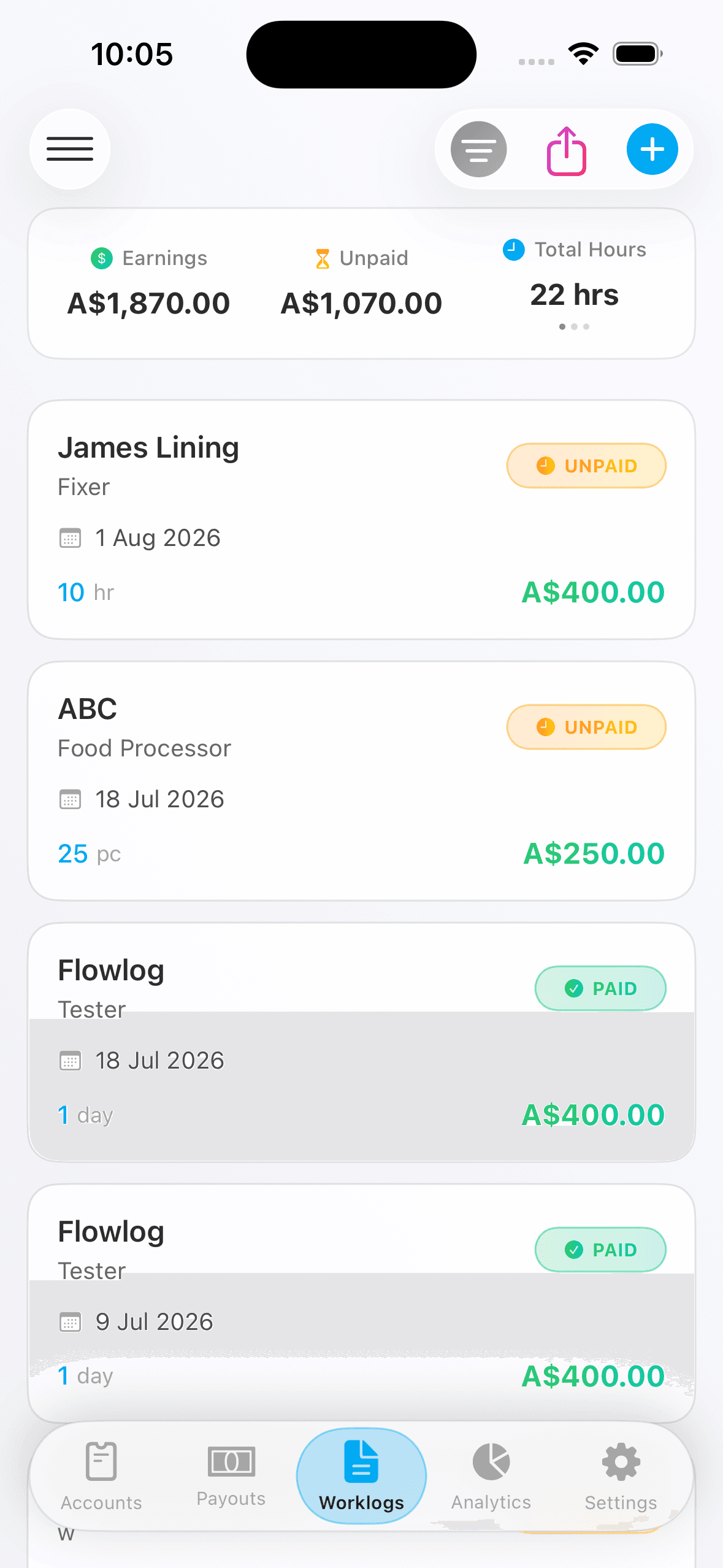
Every way of getting paid
Nothing here assumes a nine-to-five. The entry form adapts to how the job pays, and the numbers follow from what you configured once.
Five ways of counting
Fixed hours, by minute, by second, by day or by piece — whichever way the job actually pays.
Clock in, clock out
Or just type the times. Deductions for breaks and unpaid leave come off automatically.
Four rate types
Weekday, weekend, holiday and night, applied per entry and remembered when you edit it.
Work sites
Add sites to an employment, pick a default, and attach one to every entry — including each row of a batch.
Batch creation
A fortnight of shifts in one pass, each row with its own date, hours and site.
Expected earnings
Calculated as you go from the role's rate, so you know what the shift was worth before the payslip arrives.
Employments
Set it up once, then stop thinking about it
Rates, cycles and deductions live on the employment and the role, not on every entry — so a pay rise is one edit, not two hundred.
Multiple employers
Each with its own pay cycle, calculation method and default deductions.
Multiple roles
Different rates under the same employer — picker by day, forklift by night.
PAYG, ABN or other
The employment type drives what the payout form asks for, so you are never filling in GST on a PAYG job.
Special rates
Weekend, holiday and night loadings configured once per role rather than typed every shift.
Payouts
The payslip, reconciled
A payout is not just an amount. It is a set of numbers that should agree with the shifts behind it — and Flowlog keeps the link so you can check.
Gross and net, with the difference explained rather than assumed
Tax withheld, superannuation, and GST for ABN contractors
The full payment breakdown, line by line
A payslip photo attached to the record
Partial payments, when an employer pays in pieces
Linked back to the exact worklogs the payout covered
Analytics
Switch the question, not the page
One period filter at the top, and a row of perspectives underneath. Pick one and the whole page regroups — no separate screen per breakdown.
Company
Which employer the hours and income came from
Role
Which role you were working in
Site
Which work site it happened at
Rate type
Weekday, weekend, holiday or night
Tap any bar — Drill into the worklogs behind it, already filtered
Three insight cards — What actually changed, written out rather than left on a chart
An adaptive stats card — Its third figure follows how the job pays — hours, days or pieces
Export a fortnight as one image
Select up to 20 worklogs from the same company and Flowlog renders them as a statement-style long image — dates, hours, rate types, sites and totals, grouped by role. Useful for sending to an employer who wants it in writing, or for keeping a record that does not depend on the app.
Premium feature
Log one shift and see what it is worth
Free for one employment and 23 worklogs a month. Premium removes the counts and adds batch entry and image export.