
Track the work you do,
and the money it becomes
Bookkeeping, accounts, budgets and bill reminders — plus hours, sites and payouts for every job you hold. One native iOS app, two modules, one account.
Free to use · 14-day Premium trial · No ads, no trackers
- 2
- modules, one account
- 13
- transaction types
- 10
- account types
- 40
- currencies
- 3
- languages
Two modules, one app
Use one. Use both. Never see the other.
They share your account and your accounts list — and nothing else. Pick which one opens when you launch the app, right down to the page.
Moneylog
New in 2.0A complete personal finance ledger. Record a transaction in seconds, keep every account balanced, plan what is due next, and see where the money actually went.
Accounts · Plans · Record · Analytics · Settings
Explore Moneylog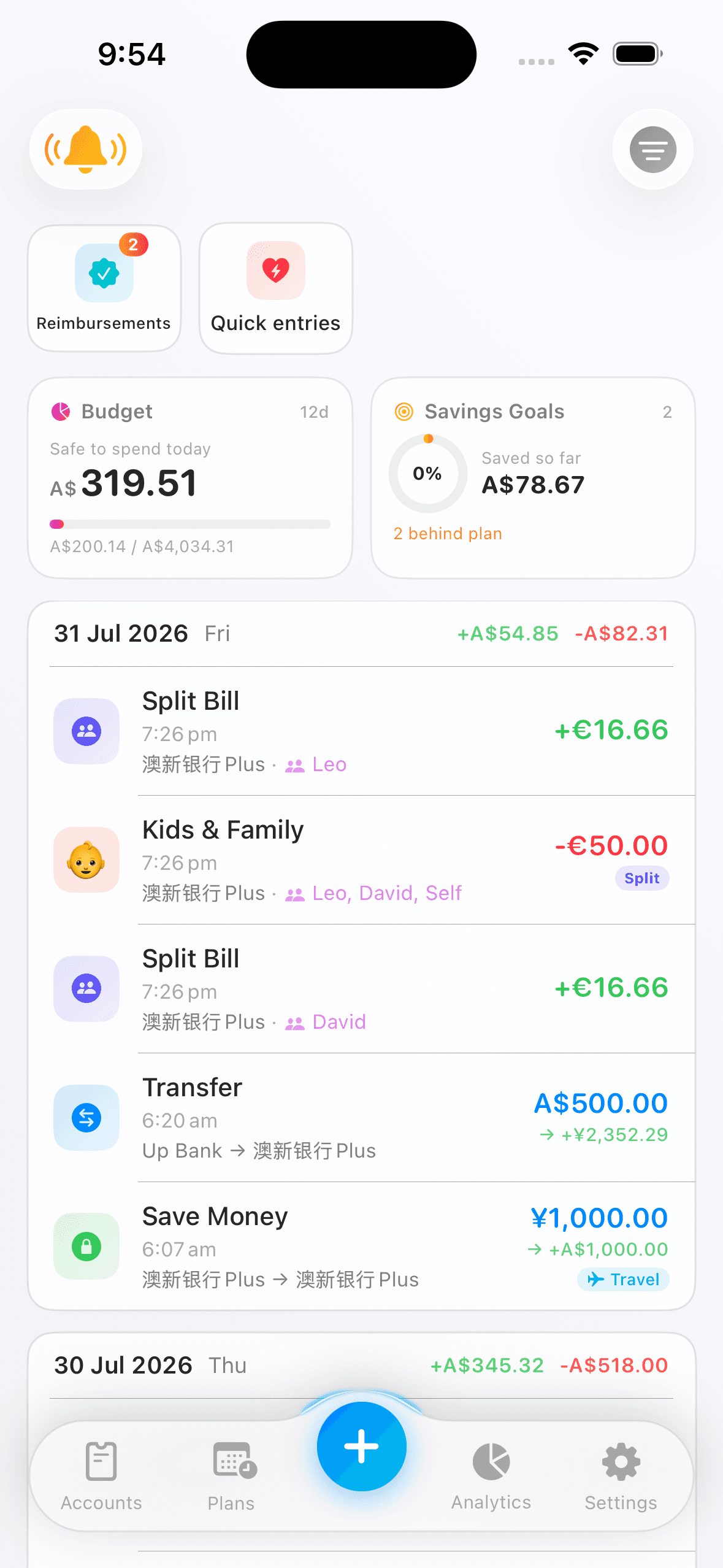
Worklog
Hours, rates, sites and payouts for every job you hold. Built for people with more than one employer, more than one role, and more than one way of being paid.
Worklogs · Employments · Payouts · Analytics · Settings
Explore Worklog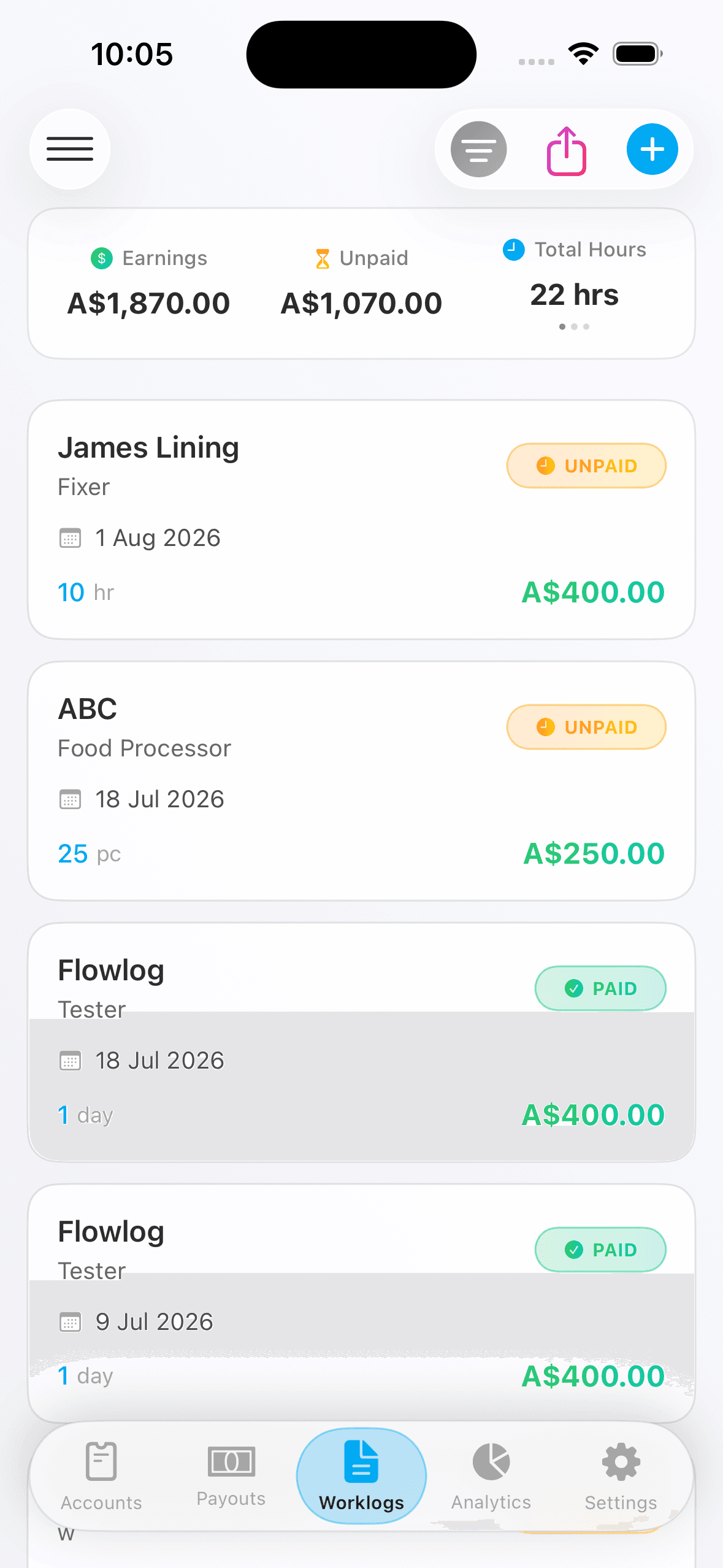
A closer look
Five screens you will actually live in
Everything below is real app behaviour, drawn to scale. Pick a tab, or let it run.
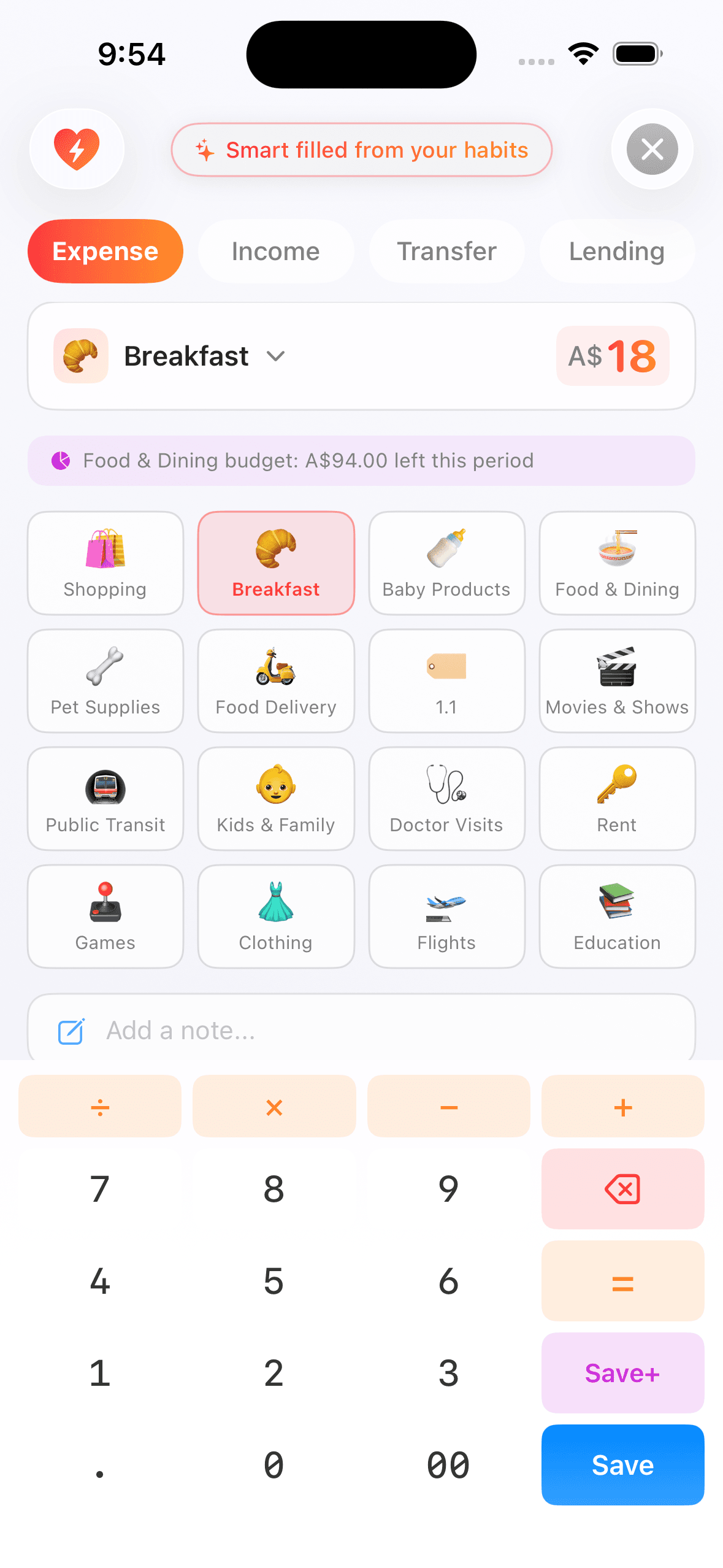
A transaction in about five seconds
Open the keypad, type the amount, save. The category, the account, who it was for and even the note are already filled in from what you have recorded before — all worked out on your phone, never sent anywhere.
- 13 transaction types, including the awkward ones: lending, refunds, reimbursements, split bills
- The keypad does arithmetic, so you can total a receipt without leaving the screen
- Attach the receipt photo, tag who it was for, and move on
- Save the ones you repeat as a one-tap quick entry
Everything included
Built for the messy parts
The features below are not add-ons. They are why the app exists — the cases every other tracker asks you to round off.
Everyday bookkeeping
Income, expenses, transfers, lending, refunds, reimbursements and split bills — with on-device suggestions that get it right before you touch anything.
Accounts that match real life
Credit cards with statement countdowns, supplementary cards, bank debit cards, both flavours of buy-now-pay-later, and debts in either direction.
Budgets on your pay cycle
Weekly, fortnightly or monthly — aligned to the day you actually get paid, not the day the calendar turns over. With rollover and category limits.
Plans and cash flow
Upcoming payables and receivables, recurring rules, subscription insights, a bill calendar, and a forecast that tells you what is safe to spend today.
Worklogs and work sites
Every way of being paid, every rate type, every site — added one at a time or in batches, and exportable as a statement-style image.
Two analytics suites
Money and work each get their own, because a chart of hours and a chart of spending answer different questions.
Counted honestly
The totals are smaller. That is the feature.
It is easy to make a spending chart look dramatic — count refunds as income, count a credit card repayment as a second expense, count a transfer as both. Flowlog refuses to, on purpose.
A refund reduces the original expense instead of appearing as income
A reimbursement leaves only your share instead of the whole dinner bill
A transfer counts as neither because moving your own money is not spending
A card repayment counts once, at purchase instead of twice
An instalment is counted once, when you bought it with the remaining periods showing up in Plans
Where your data stands
A finance app with nothing to sell
We charge for the app, so we do not have to make money any other way. That single decision is what the four points below come down to.
No bank connection. Ever.
Flowlog never asks for your online banking login, because it never talks to your bank. Every figure is one you entered — which is also why nothing breaks when a bank changes its API.
Stored in Australia
Your records live on servers in Australia, encrypted in transit and at rest. Delete your account and everything goes — recoverable for 30 days, then gone for good.
No trackers, no ad SDKs
No Google Analytics, no Facebook SDK, no advertising identifiers, no email open tracking. We do not sell data and we do not run ads, so there is nothing to profile you for.
Suggestions run on your phone
The category and account guesses are computed on your device from your own history. Nothing is uploaded for it, and no model is trained on your data.
The details are in the Privacy Policy — including exactly what we do keep, and for how long.
Around the edges
The small things you notice on day three
Widgets and quick actions
Three home screen sizes and three lock screen styles, showing net worth, budget progress or what is due next. Long-press the icon to record without opening the app.
Reminders you control
Ten categories, each with its own switch and lead time, delivered in your time zone. Tap one and it opens the account it is about.
Three languages, live
English, Simplified Chinese and Traditional Chinese. Switch inside the app and everything changes immediately — widgets and shortcuts included.
40 currencies
Across accounts, budgets, savings goals and analytics. Balances stay in the currency you recorded them in; conversion happens only for totals.
Export that opens cleanly
14 categories, 35 tables, in one Excel workbook — one tab per table. Plain numbers and a fixed date format, so it opens the same on any machine.
Receipts and attachments
Attach photos to transactions and payslips to payouts. Compressed on your device before upload, deleted with the record they belong to.
Staying accurate, and paying it down
Reconciliation
Check an account against the balance your bank actually shows, get help finding the transaction behind the difference, and settle the rest with one adjustment.
Debt payoff
Line up credit cards, BNPL and loans into one payoff queue. Snowball or avalanche, with a month-by-month projection of when each debt ends and what the interest costs.
Start with one transaction
Free to use, with a 14-day Premium trial. No ads, no trackers, and your data leaves whenever you want it to.