
Bookkeeping for the parts other apps round off
Most trackers do income, expense and transfer, then leave you to fudge the rest. Moneylog models the credit card statement, the four-instalment BNPL order, the money your friend still owes you, and the dinner you split three ways — because that is where the real numbers live.
Recording
13 transaction types
Eleven you record and two the app writes for you — balance initialisation when you create an account, and a balance adjustment when you correct one. Both are kept out of your spending totals.
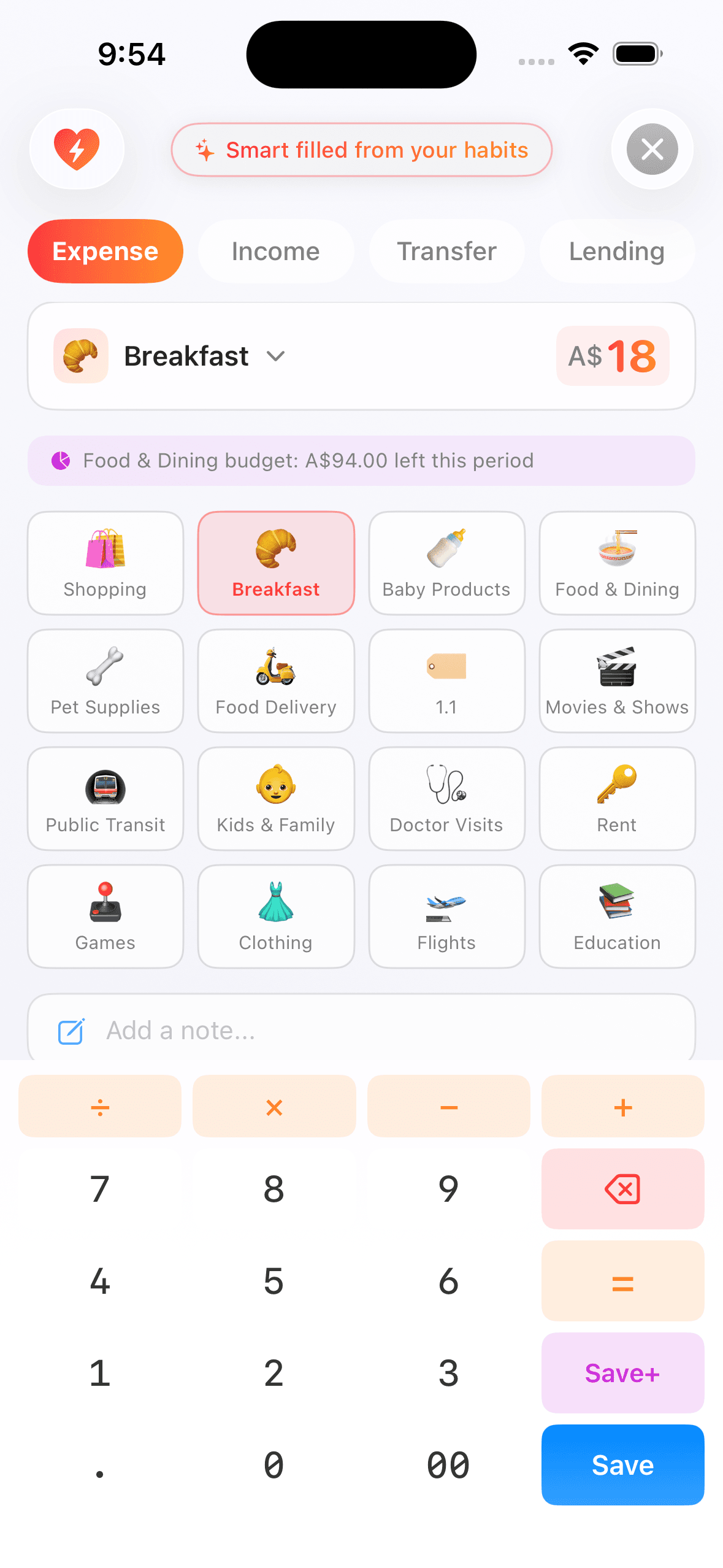
Income and expense
The everyday two. Category, account, merchant, members, tags, note and a receipt photo — most of it filled in before you get there.
Transfer
Between your own accounts, with an arrow you can tap to swap sides. Different currencies? Fill either side and the rate does the other, until you type your own number.
Lend and borrow
Money moving between you and a person. Add interest, a repayment date, or split it into an instalment plan — and settle each period as it is paid.
Refund and reversal
A shop giving money back is not income. Mark a transaction refundable, and the refund reduces the original expense instead of inflating your totals.
Reimbursement
You paid, someone pays you back. The original expense drops to your share, and everything still outstanding sits in one list with a badge on the home screen.
Split bill
One entry per person who owes you. Three friends means three entries — and your analytics keep exactly one third.
Organising
Four ways to slice it, and none of them mandatory
Every one of these is optional. Record an amount and a category and you are done — the rest is there when a transaction actually needs it.
Categories
Preset ones in all three languages, plus your own top-level and sub-categories, each with an emoji.
Members
Who the spending was for. You are pre-filled, so an ordinary personal expense needs no setup at all.
Counterparties
Who you paid, or who paid you. Filter and drill down by it later.
Tags
Whatever dimension the other three do not cover — a trip, a project, a renovation.
Receipt photos
Compressed on your device before upload, and deleted with the record they belong to.
Quick entries
Save the transactions you repeat. They store your intent, not a frozen copy, so renaming a category never breaks them.
The suggestions run on your phone
As you type an amount, Flowlog fills in the category, account, members and note from your own history — using plain statistics computed on the device. Nothing is uploaded for it, no model is trained on your data, and the moment you change a field yourself the suggestions stop touching it.
Accounts
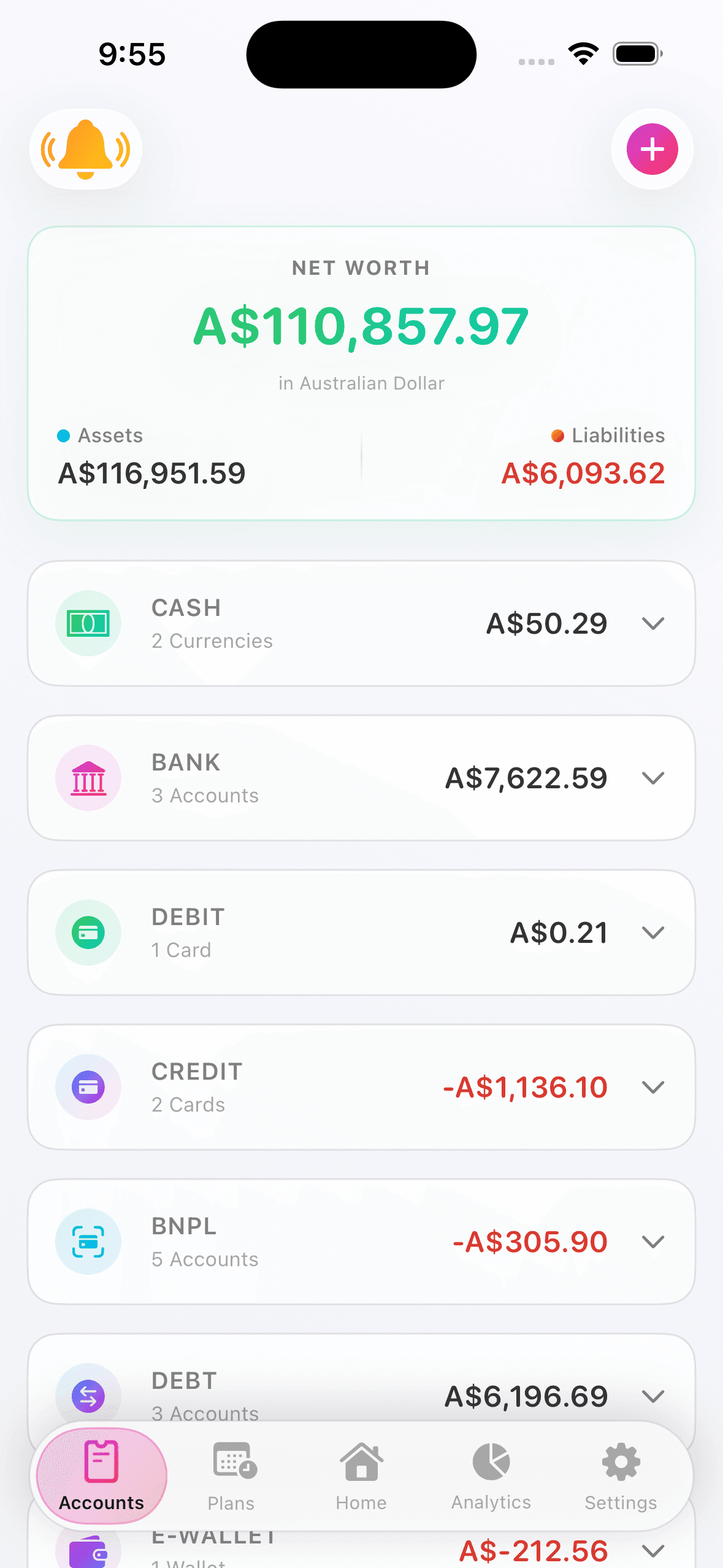
Ten types, 40 currencies, one net worth
Balances are kept per currency and never blended. Each account decides for itself whether it counts towards your assets or liabilities — so a card you closed can stay for the history without distorting the headline.
BankTransaction, savings and debit card sub-accounts
CashWhat is actually in your pocket
Credit cardLimit, statement day, repayment day, supplementary cards
Debit cardA standalone card, when the bank behind it does not matter
E-walletTop up, then spend from it
Prepaid cardGift cards, transit cards, store cards
VirtualAnything holding value that is not an institution
InvestmentBrokerage and investment balances
Buy now, pay laterStatement-based and per-order providers
DebtA running balance with one person, either direction
Budgets and savings
A budget that resets when you get paid
A calendar month is useless if you are paid fortnightly. Align the period to your pay cycle and the budget starts fresh the day the money lands.
Budgets
- Weekly, fortnightly or monthly — all on the free plan
- An overall budget plus category limits
- A temporary budget for one period only — a trip or a repair, with no need to change your budget back afterwards
- Rollover and overspend offset, recalculated from real transactions rather than stored as a number
- Threshold, overspend and new-period alerts
Savings goals
- Multi-currency — a goal does not have to be in your base currency
- Deposit directly, or attach a transfer to a goal in the same step
- 52-week, 365-day, 12-deposit and descending challenge templates
- An estimated completion date from how you have actually been saving
- A celebration when you get there, and milestone reminders on the way
Plans and reminders
What is due next, assembled for you
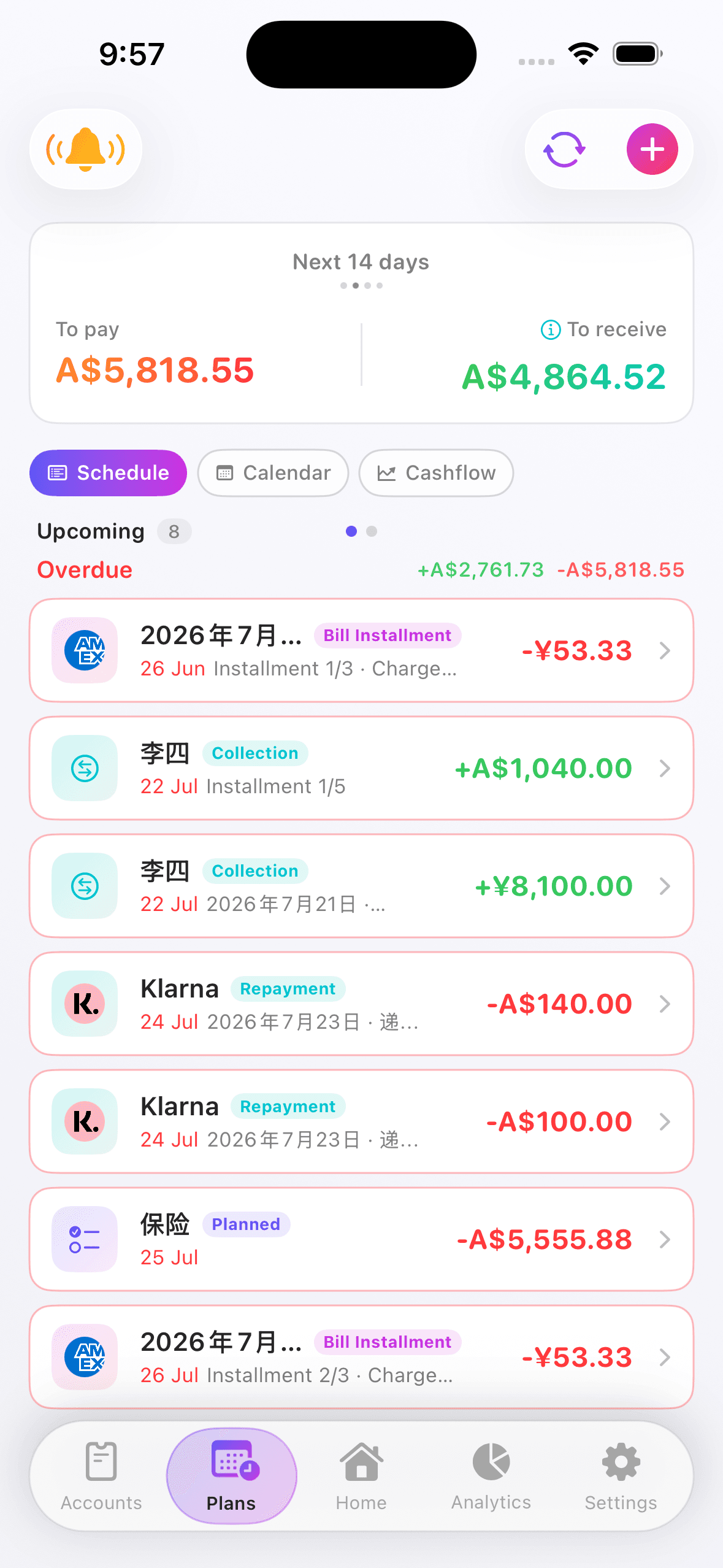
You do not enter any of this. It derives from the cards, BNPL accounts, debts and instalment plans you already keep — and the reminders follow your own time zone.
Derived, not typed
Card statements, BNPL instalments, debt dates and plan periods all come from records you already have.
Recurring rules
Rent, subscriptions, salary. Remind me, confirm each time, or post automatically.
Bill calendar
The month ahead on a grid, so you can see where it clusters and where it is quiet.
Cash flow forecast
Your balance projected day by day, with a safe-to-spend figure that already subtracts what is committed.
Ten reminder categories
Statements, repayments, instalments, debts, planned items, budget alerts, savings milestones — each with its own lead time.
Subscription insights
What every subscription costs you per year, and a badge on any that quietly went up.
Reminders are a convenience, not a guarantee — delivery depends on Apple's push service, your device and your network. Paying on time is still yours to own.
Analytics
How each type is counted
This is the table most finance apps do not publish. It is also the reason Flowlog's spending totals come out lower than theirs — and closer to what actually left your account.
| When you record | It counts as | Because |
|---|---|---|
| Transfer between your accounts | Neither income nor expense | Moving your own money is not spending. |
| Refund from a merchant | Reduces the original expense | A returned jacket is not $100 of income. |
| Reimbursement from a friend | Reduces the original expense | Your expense is your share, not the whole bill. |
| Credit card repayment | Not an expense | It was already counted when you bought the thing. |
| Debt repayment | Not an expense | Same reason. Counting it again is counting it twice. |
| A purchase split into instalments | Still counted once, on the purchase date | The remaining periods appear in Plans, not as extra spending. |
| Balance adjustment | Excluded everywhere | It describes the account, it is not something you spent. |
And gross spending is still there
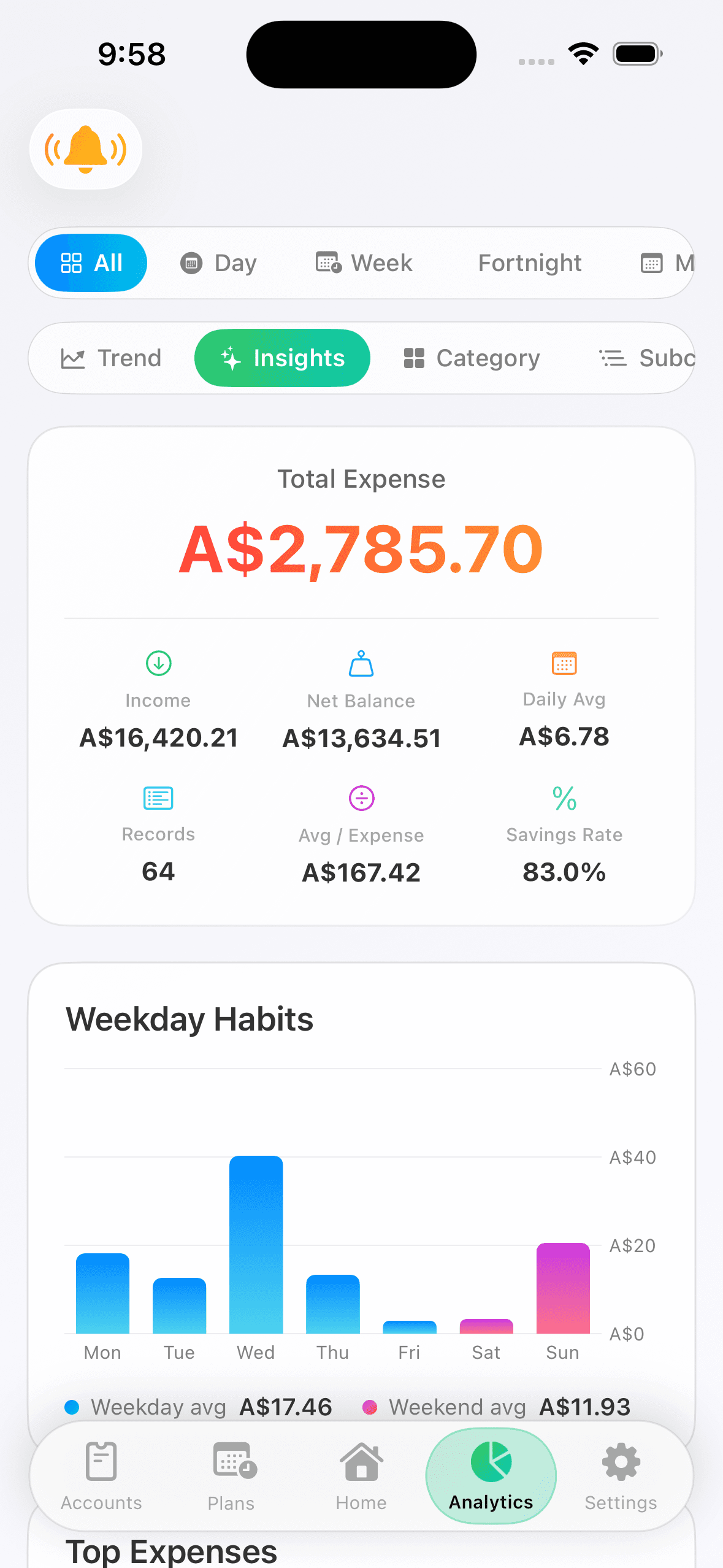
Netting things off is right for a spending total, but sometimes you want to see what actually left the account before any of it came back. That number lives in the Insights tab, next to the observations the charts cannot make on their own — which category jumped, what the single biggest expense was, how gross compares to net.
Record one transaction and see
Free to use, with a 14-day Premium trial. Everything you record stays yours — export it to an Excel workbook whenever you like.